Tip pools and tip-outs,
straight from your Clover sales.
TipShare pulls every sale, card tip and gratuity from Clover, applies your house rules, and hands you a payroll-ready total for each employee every week. No spreadsheet. No arguments.
Coming to the Clover App Market for U.S. merchants. $29 a month, 30-day free trial, billed through Clover. Read the user guide →

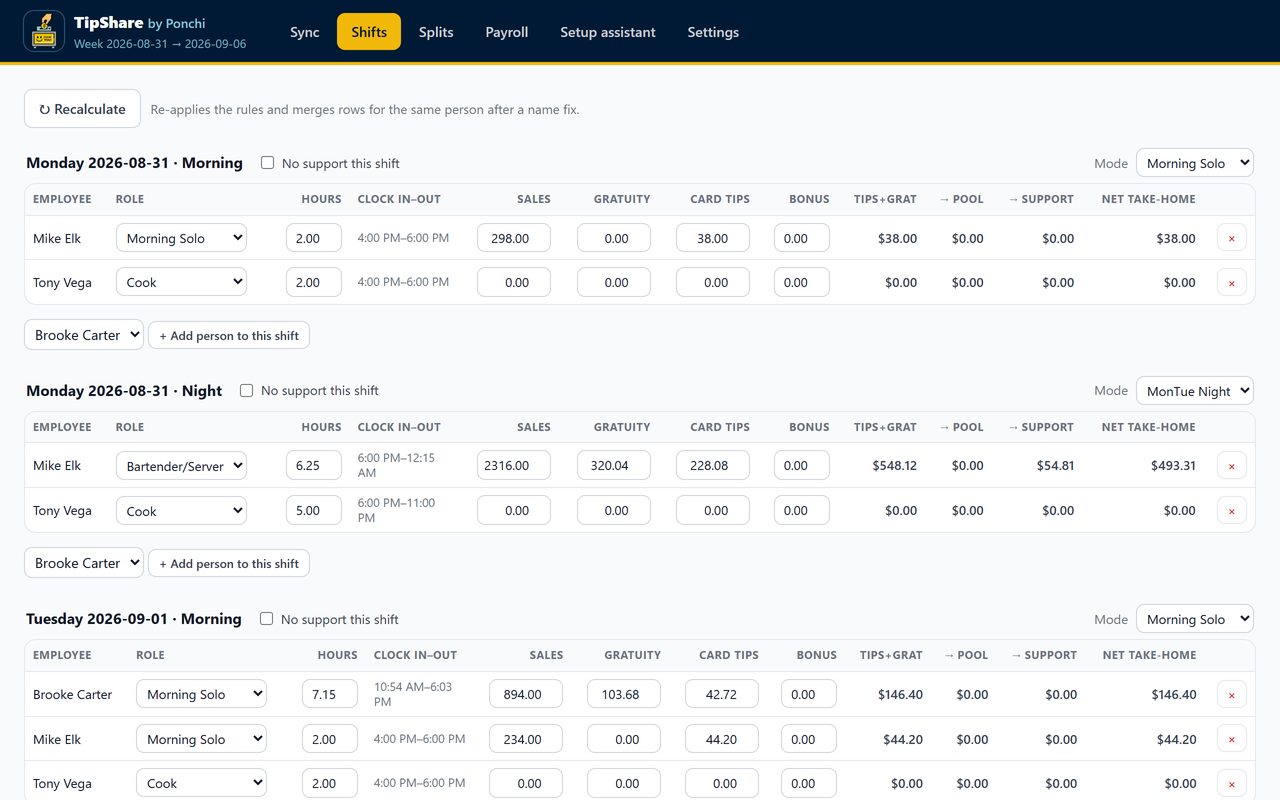
One click, the whole week
Pull the week from Clover and every sale lands on the person and shift that earned it. Morning and night split at your hour; doubles handled; hours from Clover, from Ponchi, or from a punch report.
- Card tips and gratuity counted as tips, service charges included
- Tip-outs as a percent of sales or of tips, to a pool or to support staff
- Cash tips declared per person or counted from the jar
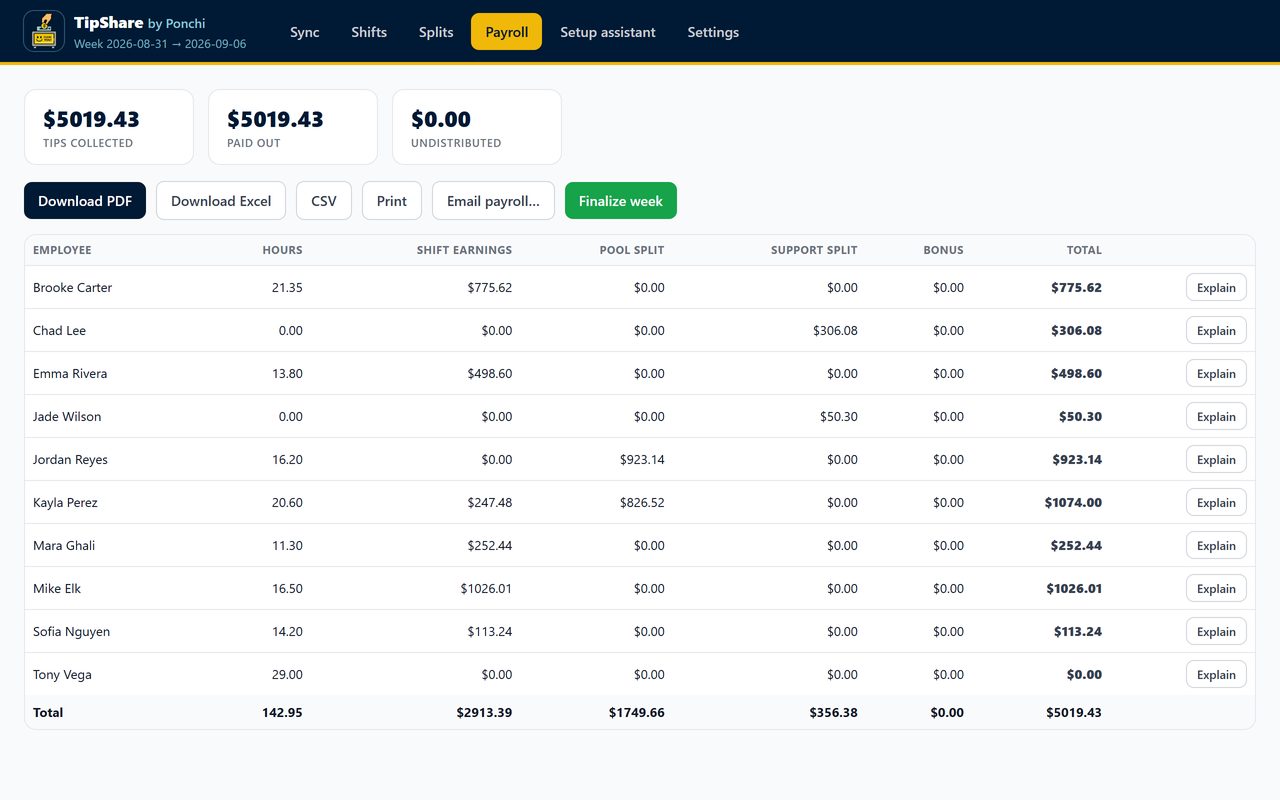
Payroll without the argument
Finalize the week and export it: PDF, Excel, a Gusto or ADP file, or email it to your bookkeeper. Cash already in hand is separated from what goes through payroll.
- "Explain this week" writes a plain-English breakdown for any employee
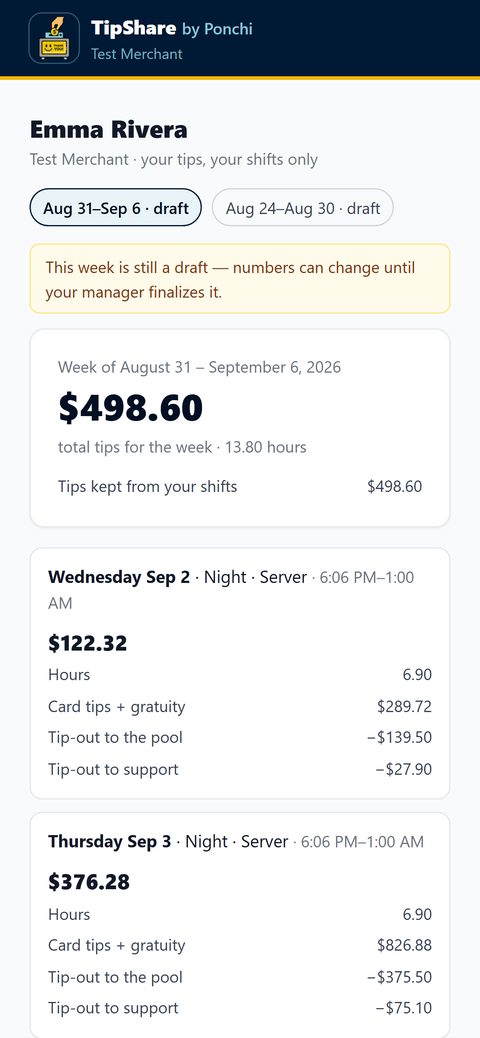
- Optional private tip page for each employee, showing only their own shifts
- Every change is logged, so last month's payroll is always defensible
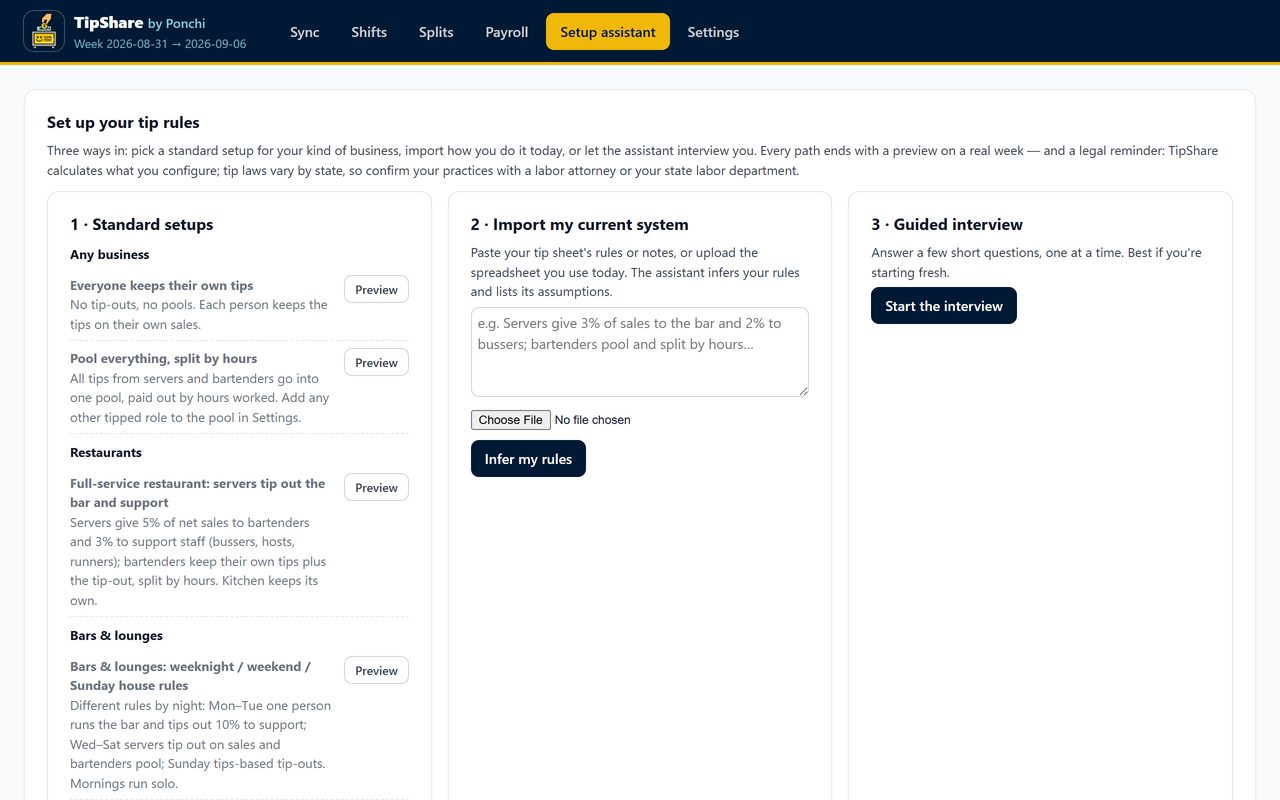
Set up with four questions
Say how often tips settle, what happens to cash, and how tips are shared: by hours, by role, or a standard setup for your kind of business. TipShare shows what those answers would pay every person on a real week before anything is saved.
The assistant only writes the rules; every dollar is computed by the same engine, every time.
Any place that pools or tips out
On the Clover device too
Owners and managers see today's live numbers and this week's status right on the Flex, Mini or Station Duo. Employees logged into the device see their own tips, and only if you turn that on.
Hours come free with Ponchi, our time clock: GPS clock-ins land in every tip week automatically. A 14-day Ponchi trial starts from inside TipShare.
30-day free trial, billed through Clover, cancel any time from the App Market. No per-device fees. TipShare calculates what you configure; tip laws vary by state, so confirm your practices with a labor attorney.
Frequently asked
Do I need Ponchi to use TipShare?
No. TipShare works on its own using hours from the Clover time clock, or from a punch report you upload. Ponchi is our time-clock app: if you use it, hours land in every tip period automatically, and you can start a 14-day trial from inside TipShare.
How do the tips get from Clover into TipShare?
TipShare reads your sales, card tips and gratuities from Clover for the period you pick, and attributes each sale to the person and shift that rang it. Nothing is written back to Clover, and no payment or card data is stored.
Can it handle our house rules?
Yes. Tip-outs can be a percent of sales or of tips, from any role to a pool or to support staff; pools split by hours with optional weights; rules can differ by day and by shift. Start from a standard setup for your kind of business, paste the tip sheet you use today, or answer a short guided interview. Every path previews on a real period before anything changes.
What about cash tips?
Your choice: not tracked, declared per person per shift (managers or the employees themselves), or one cash jar per shift split with the pool. You also say whether cash is taken home the same night or paid through payroll, and payroll shows both separately.
Can employees see their own tips?
Only if you turn it on. Each person then gets a private page, in English or Spanish, showing their own shifts and totals with a plain-English explanation. Nobody sees anyone else's numbers.
Does someone need to be at the computer?
No. Owners and managers see today's numbers and the current period on the Clover device, and the full dashboard opens from the Clover web dashboard. A period can also be pulled automatically every Monday with an email of anything that needs attention.
What does it cost?
$29 per month per location with a 30-day free trial, billed through the Clover App Market. Cancel any time from the App Market; there are no per-device fees.
Is TipShare telling me what is legal?
No. TipShare calculates exactly what you configure and keeps a record of every change. Tip laws vary by state, so confirm your practices with a labor attorney or your state labor department.
What happens to my data if I uninstall?
Your periods stay available while the subscription is active. After an uninstall we delete or de-identify the data within 90 days, and you can ask for a copy at any time by emailing us.
Help with TipShare
TipShare by Ponchi is operated by Optima BuildSolutions LLC, 12320 Barker Cypress Rd, Ste 600 #199, Cypress, TX 77429 · contact@ponchi.app · Privacy Policy · Merchant Terms